
Liam H.
Jun 14, 2026
•10 minutes
Redragon Keyboard Review: An Honest Enthusiast Take
An honest redragon keyboard review for enthusiasts: real switch specs, build quality, RGB setup, and same-price upgrades that beat the budget ceiling.
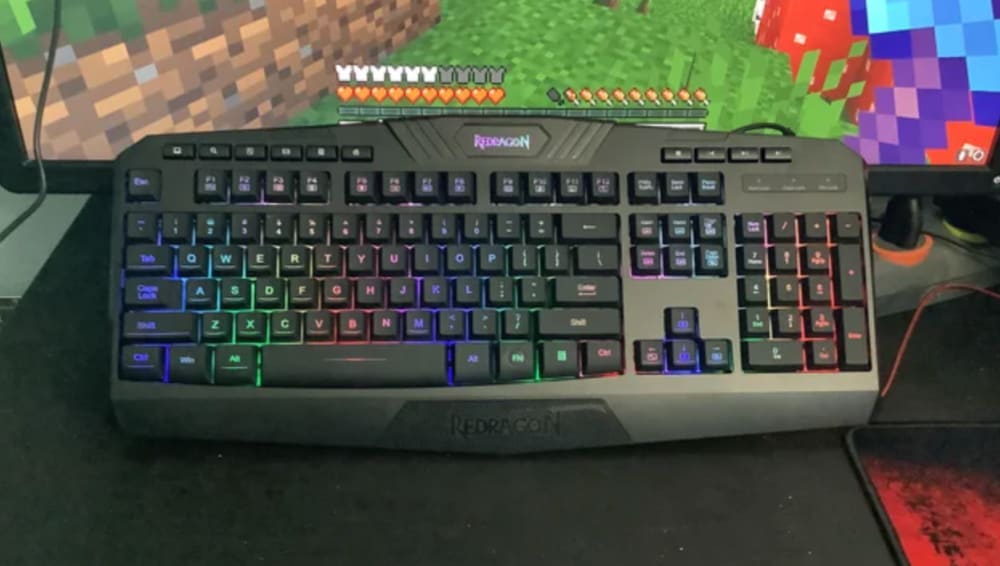
Redragon Keyboard on Desk
A Redragon keyboard is the answer to a very specific question: what is the cheapest way to get a mechanical board with RGB lighting that works the moment you plug it in? For a lot of people that is the whole point, and Redragon does it well enough that the brand has become a fixture on budget gaming desks everywhere. I have spent enough time around these boards, and around the custom keyboards that people graduate to afterward, to tell you exactly what a Redragon mechanical keyboard delivers, where its budget-entry ceiling sits, and what a little more money buys once you hit it.
This is not a hit piece. Redragon earns its sales. But every other page ranking for "redragon keyboard" is either a storefront or a spec dump, and neither tells you what the switches actually feel like over a long session or where the build quality runs out. So that is what we are going to cover.
What Is a Redragon Keyboard? Brand and Build Overview
Redragon is a gaming peripherals brand owned by Shenzhen-based parent companies, so yes, it is a Chinese brand in the sense that the products are designed and manufactured in China. That is not a knock. Almost every mechanical keyboard you can buy, including most of the custom boards enthusiasts revere, is manufactured in the same region. Country of origin tells you nothing useful about quality here. What the components are made of tells you everything, and we will get to that.
The core value proposition is simple. Redragon sells pre-built, RGB-ready mechanical keyboards at a price most other brands cannot touch. You open the box, plug in USB, and you have a working backlit mechanical board. No soldering, no kit assembly, no waiting on a group buy. The target buyer is someone shopping their first mechanical keyboard, often on a shared family PC or a tight budget, who wants something that looks and sounds more interesting than a membrane board from the office supply store.

Red Dragon Keyboard on Blue Backdrop
Layout lineup and price tier
Redragon covers the layouts most people want. Full-size boards like the K552 and K556, tenkeyless options, 75% layouts, and a healthy run of 65% compact boards. If you are still deciding how small you want to go, our breakdown of whether your mechanical keyboard needs arrow keys is worth a read before you commit to a 60% layout.
Most Redragon gaming keyboards land between roughly $30 and $70. In 2024 that budget buys you a steel or plastic-frame board, hot-swap sockets on a growing number of models, house-brand switches, ABS keycaps, and full per-key RGB. It does not buy you gasket mounting, aluminum plates, or Hall Effect sensing. Redragon competes on price, not on materials or switch tolerances, and being clear about that is the whole point of this redragon keyboard review.
Switch Quality: What's Actually Inside a Redragon Keyboard
Here is the part the brand pages skip. Redragon ships a mix of house-brand switches and, on some models, Outemu sockets. The house linear, marketed as a "red," typically actuates somewhere around 45 gf with about 2mm of pre-travel and a 4mm total travel. On paper that reads almost identical to a Cherry MX Red. In the hand it is a different story.
The gap shows up in consistency. Stem wobble on Redragon and Outemu-style red clones is measurably looser than on a name-brand switch, and spring weighting drifts from key to key. Compare that to a Gateron G Pro Yellow, which sits closer to 35 gf actuation with a much tighter stem and a smoother factory glide. Over a five-minute typing test you might not notice. Over a three-hour gaming session or a full workday, the lighter, more uniform switch is the one your fingers thank you for. If you want the longer explanation of why two "linear" switches can feel nothing alike, we covered exactly that in linear switches aren't all the same.
Red, Blue, Brown: marketed versus measured
- The red (linear) is the most honest of the bunch. Smooth-ish, scratchy out of the box, around 45 gf.
- The blue (clicky) hits its click bar reliably and is genuinely loud. Tactile bump position is fine, spring return is a little springy and rattly.
- The brown (tactile) is the weakest. The bump is shallow and rounded, closer to a "scratchy linear with a bump" than a defined tactile event. If tactility is what you want, this will underwhelm you.
Hot-swap and pin compatibility
This is the detail that bites enthusiasts later. Most Redragon hot-swap boards use 3-pin PCBs. That means a 5-pin switch, which includes a huge share of the enthusiast-grade switches you would actually want to drop in, needs its two plastic guide pins clipped flat before it will seat. It is a thirty-second job with flush cutters, but nobody tells you about it. Premium switches like the HMX Latte Switches ship as 5-pin and are explicitly modifiable to 3-pin, so they will fit a Redragon board once you clip them. If you want the full rundown on why mounting style matters, see our plate-mount vs. PCB-mount switches guide. You can browse the full switches selection when you are ready to replace what Redragon ships.
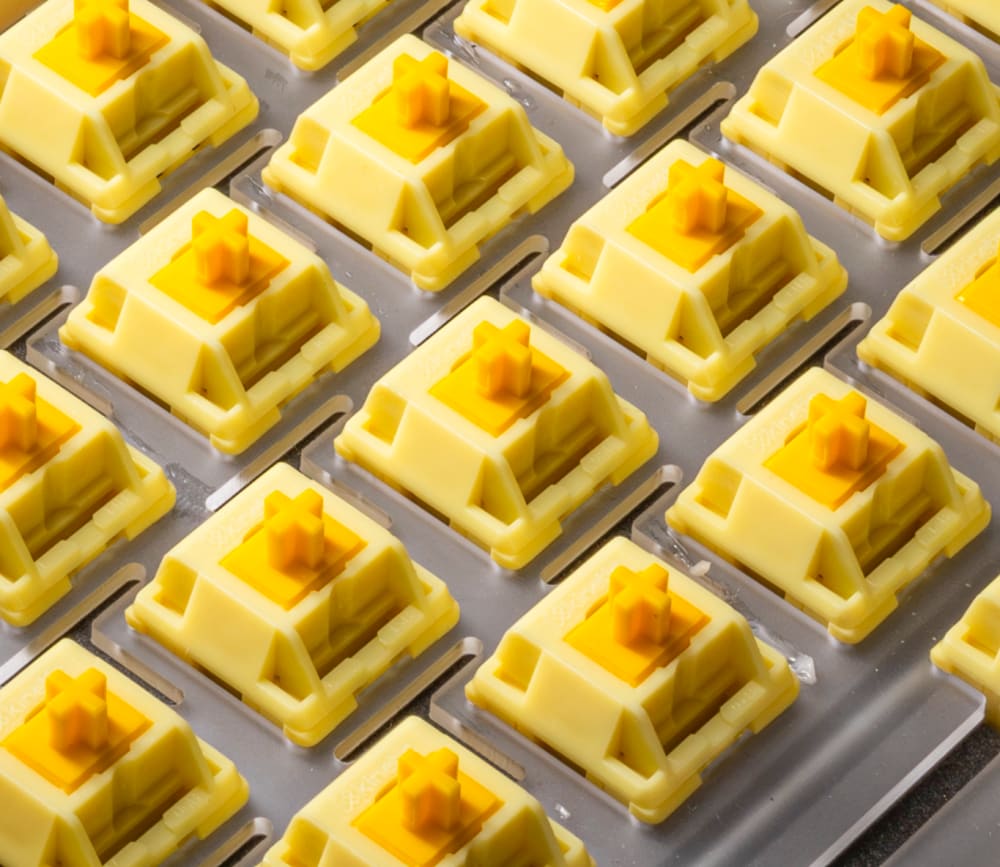
Enthusiast Grade Switches - HMX Butter
Keycap Quality: Profile, Material, and Legends
Redragon ships OEM-profile ABS keycaps on nearly every board. On the cheaper models the legends are pad-printed, which means a thin layer of paint sitting on top of the cap. On the slightly nicer boards you get shine-through ABS where the legend is a translucent window for the RGB to glow through. Neither is doubleshot PBT, and that matters for two reasons.
Pad-printed legends wear off. Run your fingers over the same WASD cluster for a few months and the printing fades and goes slick. Shine-through caps hold their legends longer because the character is molded, not painted, but the ABS plastic itself develops a greasy shine where your fingers sit. PBT keycaps, especially five-sided dye-sublimation PBT, resist both problems and feel grittier and more substantial under the finger.
OEM profile and the upgrade path
OEM profile is a fine starting point. It is the most common profile on the planet, comfortable enough, and sculpted so each row sits at a slightly different angle. The good news for any Redragon owner is that these boards use standard MX stems, so keycap upgrades are completely straightforward. A set of Kinetic Labs PBT caps in Cherry profile will drop straight onto a Redragon board and instantly fix the two biggest complaints about the stock set. Many enthusiasts move from OEM to Cherry (shorter, more linear feel) or to MT3 (tall and scooped). The Redragon board itself does not stop you from doing any of that.
Why thin shine-through caps feel hollow
There is a reason Redragon's RGB looks so bright. The ABS is thin, which lets more light through, but thin walls also mean a higher-pitched, hollower sound and a flexier feel on every press. Bright lighting and a satisfying typing feel are pulling in opposite directions here, and Redragon picks brightness.
Plate, PCB, and Build Construction: The Honest Spec Sheet
Most Redragon keyboards are tray-mount. The PCB and plate screw down to posts molded into the bottom case. It is the simplest, cheapest way to build a board, and it produces a stiff, clacky typing feel with almost no flex. Some people genuinely like that firmness. Just know it is the opposite of the soft, cushioned bounce that gasket-mounted enthusiast boards are chasing.
The plates are usually ABS plastic on the budget models, with steel on a few of the metal-frame full-size boards. A plastic plate is lighter and slightly softer in sound than aluminum, but it gives up the deeper, more controlled acoustic that an aluminum plate provides. Our plate materials comparison walks through exactly how aluminum, brass, and plastic each change feel and sound if you want the deep dive.
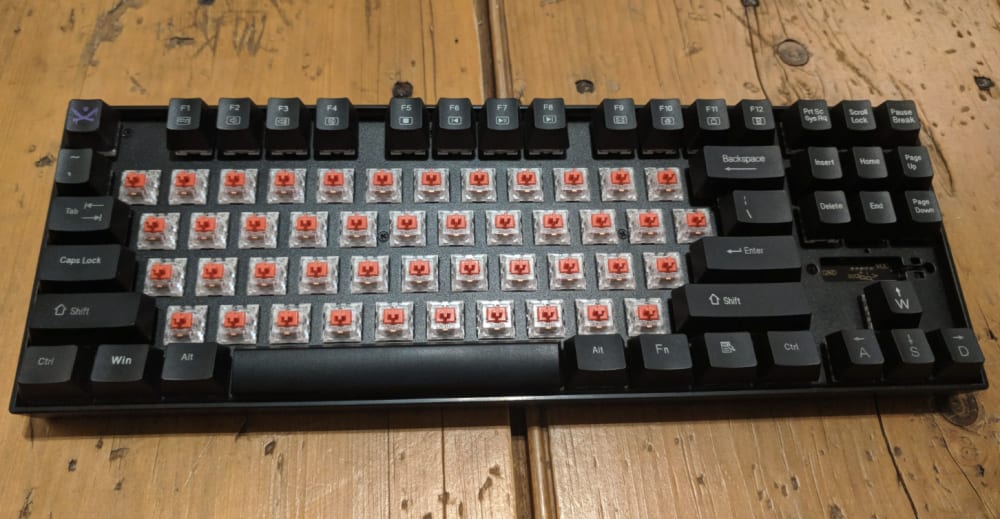
Redragon Keyboard Plate
Stabilizers out of the box
Stabilizers are the most reliable first complaint on any Redragon board. They are Cherry-style PCB-mount stabs with a wire gauge in the neighborhood of 1.5mm, and the factory lube is inconsistent at best. The spacebar rattles, the Enter and Shift keys tick, and a few minutes of clip-and-lube work transforms them. This is normal for the price, and it is normal even on boards costing three times as much. It is just the single most common first modding target, and worth knowing before you blame the switches for a sound you do not like.
RGB and Software: What Works and What Doesn't
Redragon's configuration software (often branded REDRAGON DRACONIC, and varying by model) is Windows-only. If you are on macOS or Linux, you are limited to the on-board controls. That is a real ceiling compared to higher-tier boards that configure through a web app or VIA, which run anywhere with a browser.
How to change RGB color on a Redragon keyboard
You do not need the software for basic lighting. On almost every Redragon keyboard:
- Hold the FN key and press the dedicated lighting key (often marked with a sun icon, frequently on the INS, DEL, or arrow cluster) to cycle effects.
- FN + the right or left arrow usually changes color or cycles the static color presets.
- FN + up/down arrow adjusts brightness, and FN + Page Up/Page Down often controls effect speed.
Exact combinations vary by model, so check the card in the box, but the pattern above covers most of the lineup.
Setting up a Redragon keyboard
Setup is genuinely easy and is half the appeal. Plug the USB-C or USB-A cable into your PC, wait for the driver to install automatically, and the board works. For per-key lighting, macros, or any remapping, download the Windows software from Redragon's site, plug in, and the board should appear in the app. That is the whole process.
Where the software hits its limits
Macro recording and key remapping exist but are shallow compared to VIA or QMK. You get layers and macros, but not the deep per-layer remapping, tap-hold behavior, and community config sharing that QMK/VIA boards offer. If your real need is dedicated macros, a small programmable pad like the Stars21 Numpad does that job far better than wrestling Redragon's software. And if you game competitively, our list of the top things you need for a gaming keyboard is worth checking against what Redragon actually provides.
Is a Redragon Keyboard Good? Who It's Right For (and Who It Isn't)
Is Redragon a good keyboard brand? For what it sets out to do, yes. As a first mechanical keyboard, a board for a shared family PC, or a no-stress purchase when the budget is genuinely tight, a Redragon gaming keyboard is a defensible buy. It is a good first board. It is not a good forever board, and the difference is worth being honest about.
The ceiling is real and it is structural. No Hall Effect sensing, which means no analog actuation and no rapid trigger for competitive gaming. Plastic plates and tray-mount construction on most models. House-brand switches with looser tolerances. Windows-only software. None of these are dealbreakers at $40. They become the exact reasons you outgrow the board.
Here is the part that surprises people. The mid-to-upper Redragon models sit right around $50 to $67. That is the same bracket where purpose-built enthusiast boards live. Spend $64.99 on a GMK67 and you get a gasket-mounted 65% board with south-facing RGB, a hot-swap PCB, and a 3000mAh battery for wireless use. That is a near-identical price to a top-tier Redragon, with a build that addresses almost every ceiling listed above. The "just a little more" argument is not vague here. It is five to fifteen dollars.
Smarter Upgrades to Consider at the Same Price Point
The goal here is not to talk you out of Redragon. It is to show you what the next step actually looks like, because the price gap is smaller than most people assume.
For competitive gaming, the move is a Hall Effect board with per-key rapid trigger. The Mad60 HE runs $67.99 with an aluminum plate, magnetic HE switches, and web-based rapid trigger configuration that runs in a browser instead of a Windows-only app. Against a $50 to $65 tray-mount Redragon with clone switches, that is the same money for analog actuation, adjustable per-key trigger points, and a metal plate. The Mad68 HE adds arrow keys in the same HE platform if you want them. Want to understand whether your board can register all your inputs at once during a clutch moment? Our N-key rollover explainer is the background reading.
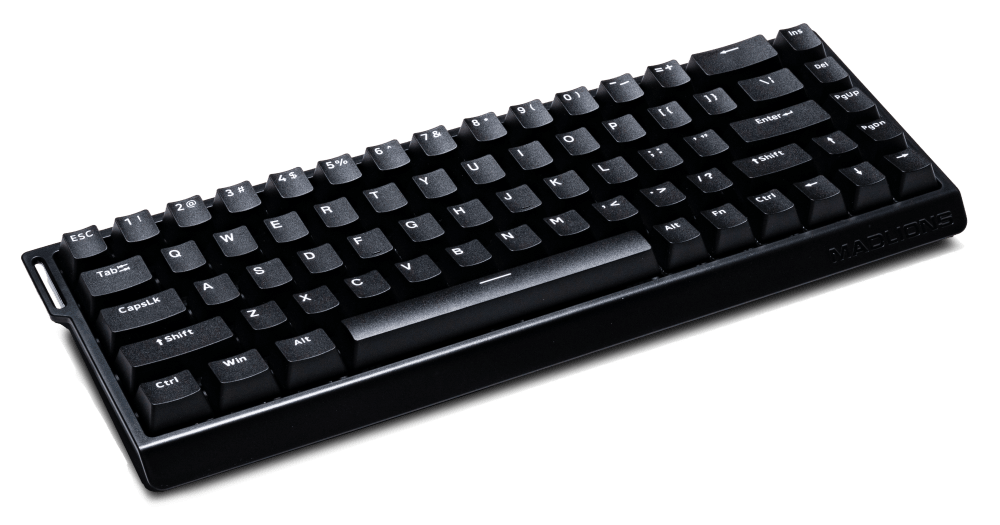
Mad68 HE Keyboard
For typing and everyday use, the GMK67 at $64.99 is the obvious gasket-mounted 65% alternative. South-facing RGB clears tall keycaps, the gasket mount gives you the soft typing feel Redragon's tray mount cannot, and the hot-swap PCB takes any MX switch you want without soldering. If you want to assemble something from scratch and tune every layer through QMK and VIA, the Nut65 is a CNC aluminum, gasket-mounted kit, though that is a clear step up in budget.
Frequently Asked Questions About Redragon Keyboards
Is Redragon a good keyboard brand? For a first mechanical keyboard on a tight budget, yes. Redragon delivers a working, RGB-backlit mechanical board for $30 to $70 with no assembly required. The trade-offs are looser switch tolerances, plastic plates, tray-mount builds, and Windows-only software, which is why enthusiasts usually outgrow it.
Is Redragon a Chinese brand? Yes, Redragon is designed and manufactured in China, primarily out of Shenzhen. That is true of the vast majority of mechanical keyboards, including most custom enthusiast boards, so it says nothing about quality on its own.
How do I change the RGB on my Redragon keyboard? Hold the FN key and press the lighting key (often marked with a sun icon) to cycle effects. FN plus the arrow keys typically changes color, brightness, and effect speed. For full per-key control, use Redragon's Windows software. Exact shortcuts vary by model, so check the included card.
How do I set up a Redragon keyboard? Plug the USB cable into your PC and let the driver install automatically. The board works immediately for typing and basic lighting. For macros, remapping, or per-key RGB, download Redragon's Windows software, connect the board, and configure it there.