
Catherine L.
Jul 3, 2026
•11 minutes
Desk Mat Guide for Mechanical Keyboards
A spec-literate desk mat guide for mechanical keyboards: weave, backing, 4mm thickness, sizing, stitched edges, durability, and protection.

Froggy Desk Mat on Desk
A desk mat is a large fabric surface that covers a section of your desk, and for anyone running a mechanical keyboard it does more than look nice under a build. Most guides treat these like oversized mouse pads and leave it there, but the same spec literacy you already apply to switches (gram force, materials, plate feel) applies here too. Read a desk mat by its construction and you will stop buying the wrong one.
What a Desk Mat Actually Is (and Why Keyboard People End Up Caring More)
A desk mat, sometimes called a desk pad, is a flat cloth-topped surface with a grippy backing that sits under your keyboard, mouse, and whatever else has colonized your desk. I want to be clear that the point is not decoration alone, even though that is how they get sold. A thick desk mat gives your board something to sit on other than bare wood or laminate, and that one change quietly moves both how the board sounds and how it feels.
If you have ever used a plate-mounted board with an aluminum or brass plate sitting on a bare desk, you already know exactly the problem I am talking about. Those stiffer plates ring, and here is the part that surprised me the first time I noticed it: that ring couples into the desk itself and comes back at you louder than the board alone would ever manage. A 4 mm cloth surface with a rubber layer underneath absorbs some of that transmitted energy instead of letting it bounce off a hard tabletop. It will not turn a pingy board into a silent one, and I would not trust anyone who promised that, but it genuinely takes the edge off.
This is a different tool than a thin PVC mouse pad, and I think that distinction gets lost. A 1 mm to 2 mm PVC pad is built for mouse glide and nothing else. It has no meaningful mass, so it does nothing for your keyboard, which is fine if the mouse is all you cared about in the first place.
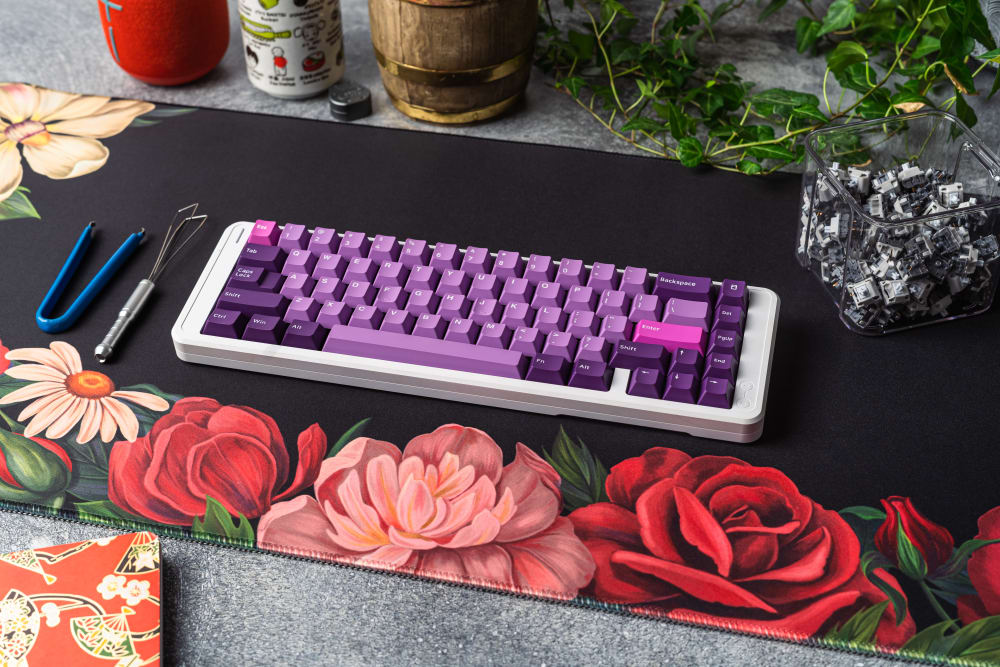
Bloom Desk Mat on Desk
A workspace upgrade, not just a mouse pad
The practical win, the one that made me stop using a small pad years ago, is coverage. A single large desk mat puts your keyboard, mouse, and wrists on the same consistent surface, so you are not living half on cloth and half on a cold slab of desk. That consistency matters for a mouse that travels across a wide arc, and it matters for wrist contact when you are typing for hours and not thinking about your hands at all. As a plain workspace upgrade it is one of the cheapest ways to make a desk feel considered rather than thrown together, and it belongs in the same desk essentials conversation as a good chair or a monitor arm. You feel the comfort difference within the first afternoon.
The mechanical-keyboard case: damping, angle, and wrist comfort
On a bare desk your wrists rest on a hard, slightly cool edge for hours. On a 4 mm cloth surface they rest on something with a little give, and over a long session that small amount of compliance is the whole difference between fine and sore by evening. The mat also raises the entire board a few millimeters, which nudges your typing angle in a way most people find comfortable once they stop noticing it, which usually takes a day.
The Material Story: Cloth, Leather, Felt, and What Each One Does
Most competitor guides stop at "it's soft," which tells you nothing, because the material is where the actual buying decision lives once you look closely.
Cloth surface weave: how it affects mouse glide
The top layer on a good cloth desk mat is a tightly woven fabric, and the weave density does real, measurable work here. A tighter, more uniform weave gives an optical or laser sensor a more consistent surface to read, and that consistency matters more the higher your DPI climbs, which is easy to forget until your cursor starts stuttering on fine movements. optical mouse sensors track more consistently on a tighter, more uniform cloth weave A loose or fuzzy weave gives that same high-DPI sensor less to hold onto.
Weave also quietly sets your glide. PTFE mouse feet skate faster over a slightly slicker cloth, while rubber feet drag more. Neither is wrong, which people forget: low-DPI FPS players tend to want more control and a bit more friction, and high-DPI desktop users tend to want speed. A quality cloth mat lands in a usable middle for both, which is really what you are paying for.

Alberta Desk Mat with Keyboard On Top
Rubber vs. cork vs. foam backing
The backing is what keeps the mat still while you slam a mouse across it, so it is not a footnote. Natural rubber grips a desk surface better than cork or foam, resists moisture, and lies flat once it has settled in. Cork looks nice on paper but slides more and can dry out over a year or two. Foam is cheap and goes limp, and you feel it go limp.
There is one honest caveat worth naming: natural rubber backings contain latex. natural rubber contains latex proteins If you have a latex allergy, a rubber-backed cloth desk mat is not for you, and I will cover alternatives in the FAQ.
The sustainability angle worth knowing
If eco-friendly materials factor into what you buy, the material stack matters here too. A cloth-and-natural-rubber build leans on rubber tapped from trees rather than a fully petroleum-based foam, and it is an animal-free surface, so it fits a vegan setup where leather never could. Durable construction is its own kind of sustainability, honestly: a mat that survives years of daily rolling is one that does not end up in a landfill after eight months, and that longevity does more for the planet than any label on the box.
Why leather and hard-surface mats fight your keyboard
Leather and hard resin mats look premium, and I understand the appeal, but they are poor companions to a mechanical keyboard for a reason people skip over. A hard surface reflects sound instead of absorbing it, so your board gets louder and sharper rather than cleaner. There is also no give under your wrists at all. If you care about how your board sounds and feels, a cloth desk mat beats leather for this specific job every time.
As for thickness, I have landed firmly on 4 mm as the sweet spot after trying thinner and thicker. A 2 mm mat gives you almost no damping or wrist cushion. A 6 mm mat cushions well but builds a taller edge ramp that some people catch their forearm on and never quite forgive. 4 mm damps meaningfully, cushions the wrist, and keeps a low enough edge that your arm rolls over it without registering that it is there.
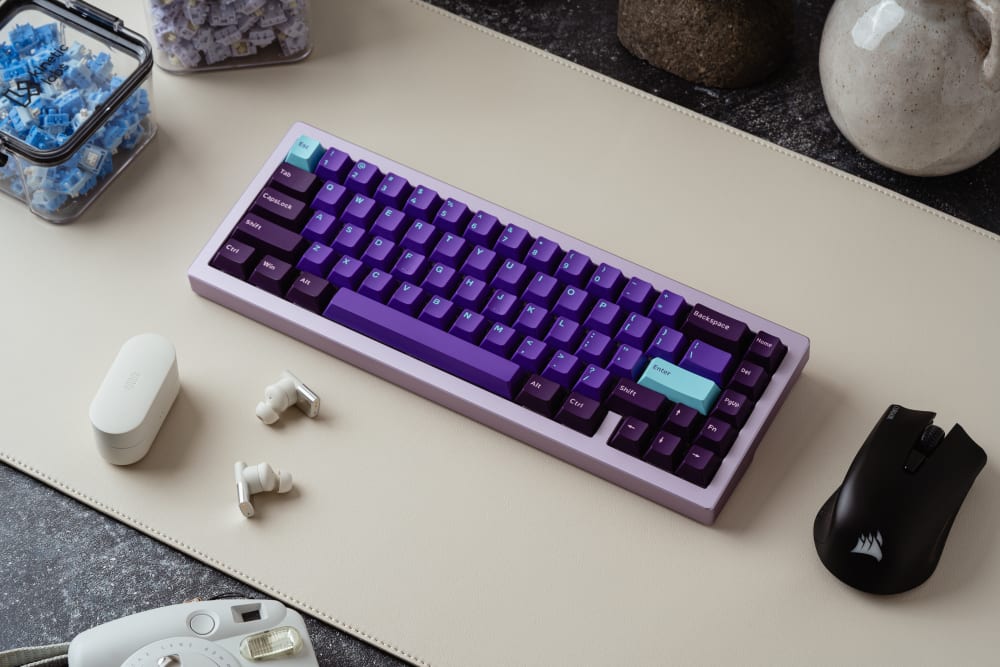
Eco Leather Desk Mat with Keyboard
Sizing a Desk Mat to Your Keyboard, Without Guessing
Sizing is where I see people guess, and guessing is why so many mats get returned, so let me give you real numbers to work from instead.
A tenkeyless (TKL) board is roughly 360 mm wide. A 75% lands close to that. A 65% is around 230 mm, and a 60% is narrower still. Kinetic Labs mats are 900 x 400 x 4 mm, and that 900 mm width was picked on purpose for TKL-and-under layouts.
Form factor math
Put a TKL on a 900 mm wide mat and you still have more than 500 mm of mousing room to its right. That is a lot of runway even for a low-DPI player who lifts and resets constantly. Drop down to a 65% and you free up even more. A 900 x 400 mat is comfortably an XL mouse pad and a keyboard desk mat at once, which is the whole appeal of the large desk mat format.
Full-size and numpad users
A full-size 100% board is around 440 mm to 460 mm wide. It fits on a 900 mm mat, but your mousing space shrinks to something tighter. If you run a full-size board plus a wide low-sens mouse setup, you may want to go past 900 mm into true XXL mouse pad territory, closer to 1200 mm wide. For everyone on TKL and under, 900 mm is plenty.
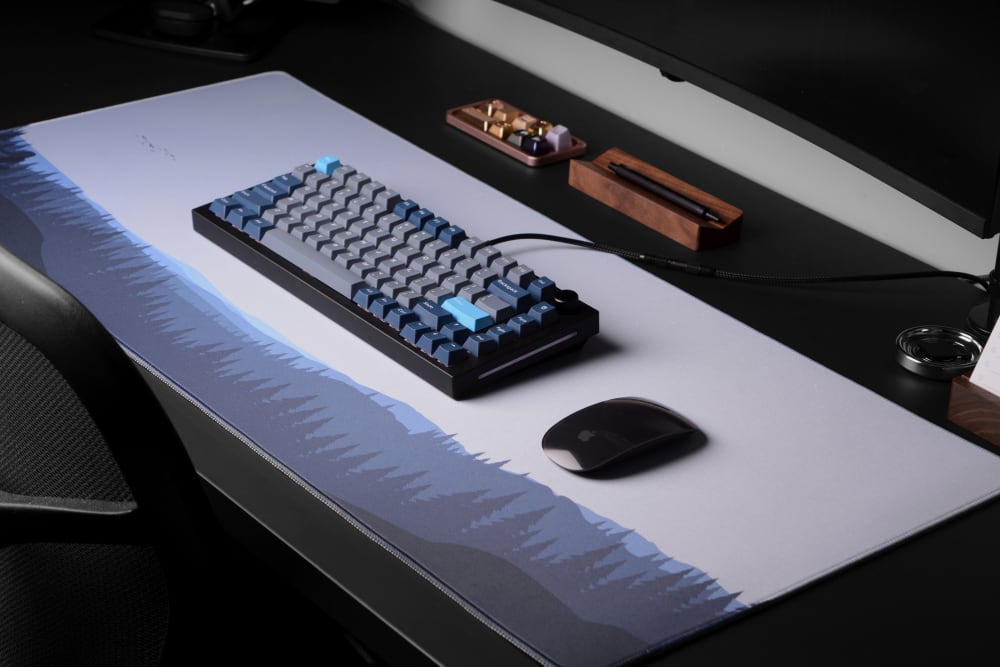
Blue Horizons Desk Mat
Desk depth, and the organization it buys you
The 400 mm depth is generous without eating your desk. Standard desks run 600 mm to 800 mm front to back, so a 400 mm mat leaves room behind it for a monitor stand, speakers, or a cable pass-through. It also gives you a strip of exposed desk at the back to route USB cables under, which is where the mat starts pulling double duty as an office organization tool. The mat's border becomes a natural line: keyboard and mouse live on the cloth, and everything else (a pen, a small tray, your phone) settles behind it. That soft boundary keeps a desk tidier than most dedicated workspace accessories manage.
Stitched Edges vs. Heat-Sealed Edges: The Detail That Decides Longevity
Almost nobody writes about edge construction, which is a shame, because it is the single best predictor I know of for how long a mat actually lasts.
What heat-sealed edges do after 6 to 12 months
A heat-sealed edge is cheaper to make. The cloth and rubber are fused at the border with heat instead of sewn. It looks clean out of the box, I will give it that, but under repeated rolling and unrolling (packing up for a LAN, moving desks, shoving it in a bag) that bond starts to let go. In my experience, sealed edges I have owned started peeling at the corners and fraying inside the first year of daily use, and the edge curled up right under my wrist.
How stitched edges lock the layers together
A stitched edge sews a reinforcing thread loop around the whole perimeter, binding the cloth top and rubber bottom together mechanically rather than chemically. That thread does not delaminate when you roll the mat, and it stops the cloth from fraying at the border. Every Kinetic Labs desk mat uses a stitched edge, which is the honest reason I steer people toward stitched over sealed every time. It is durable design you can see, and it is the part of the mat you will physically outlast if you buy it right.
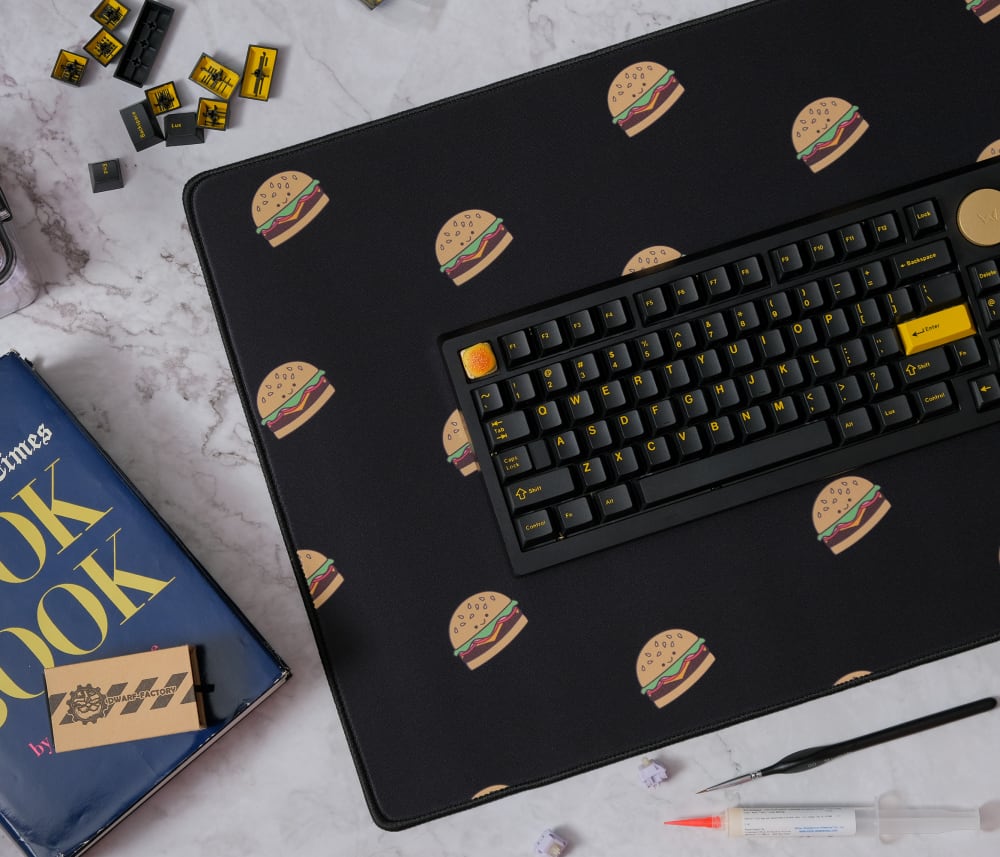
Burger Desk Mat
Printed-edge designs
The stitching does not have to be plain, which I like. Kinetic Labs runs the mat's printed design right onto the stitched border, so the detail that keeps the mat alive also carries the artwork. Structure and looks, same thread.
Durability and Longevity: What Actually Makes a Desk Mat Last
Edge construction is the headline, but longevity is really the sum of a few things wearing at different rates. The cloth top loses nap first in the highest-traffic zone, usually the small patch under your mouse, where thousands of passes a day polish the weave smooth. A denser weave slows that down, which is one more reason weave density is not just about tracking.
The rubber backing is the next thing to age. Natural rubber stays grippy and flexible for years if you keep it flat and out of direct sun, but heat and UV are what harden it and turn the edges brittle. That is the whole argument for rolling a mat cloth-side-out for storage and never leaving it baking on a sunlit desk.
The print is the third layer, and here the sublimation process matters: dye bonded into the fibers rather than sat on top does not crack or flake the way a surface print does, so the artwork tends to outlast the nap under your palm. Put those three together and a well-built cloth mat is a multi-year purchase, not a seasonal one. I still rotate mats I have had for years, and the ones that gave out first were always the sealed-edge budget ones, not the stitched builds.
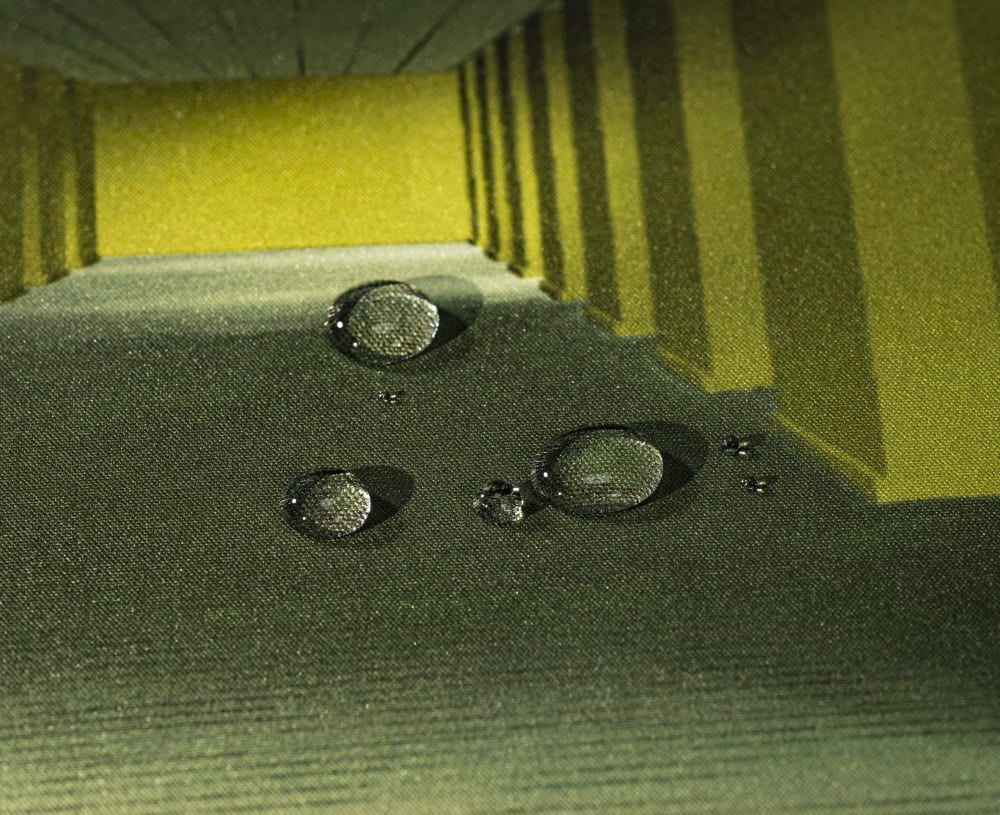
Waterproof Surface on Backrooms Desk Mat
Protection Features: What the Mat Is Guarding Against
A desk mat earns its keep as a barrier, and this is the part most guides forget to spell out. The rubber backing grips without adhesive, so nothing sticky ever touches your desk finish, and the cloth top puts a soft layer between hard keyboard feet, mouse skates, and coasters and the surface underneath. That is the difference between a desk that still looks new in five years and one ringed with scratches and heat marks.
Spill resistance is the other half. A tight cloth weave slows a knocked-over drink enough to grab a towel before it reaches your keyboard, and a couple of Kinetic Labs mats add a waterproof cloth top that beads liquid rather than wicking it straight through to the desk. On wood or laminate that buffer matters, because it is the finish, not just the electronics, that a spill ruins.
There is a quieter protection benefit too: the mat isolates your board from the desk mechanically. Every bottom-out that lands on cloth-over-rubber instead of bare wood is energy the tabletop never has to absorb, which is easier on both the desk and, over years, the board's own feet and case.
How a Desk Mat Changes Your Mechanical Keyboard Experience
This is the section that matters most to this audience, and it is grounded in actually using these boards rather than theory.
Sound profile: aluminum vs. polycarbonate boards
The mat does the most for a stiff, resonant board. Plenty of budget 65% boards ship with an aluminum plate that rings and pings, and a good chunk of that noise, more than you would think, is the desk itself reflecting energy back at you. Put a 4 mm rubber-backed cloth desk mat under it and you absorb some of that desk-transmitted resonance, so the ping quiets and the bottom-out reads a little deeper.
A polycarbonate plate or a gasket-mounted board is already dampened, so the mat changes its sound less simply because there is less ring left to kill. You will still feel the ergonomic benefit, but do not expect a dramatic acoustic shift on an already-soft board. Every surface around a board changes how it reaches your ears, and the desk mat is one of those surfaces you can actually control.

Sunny Day Desk Mat
Typing feel: surface compliance and wrist fatigue
That slight give under the board and under your wrists adds up over a workday in a way that is hard to appreciate until you go back to a bare desk. A rigidly mounted board on bare wood transmits every bottom-out straight into the tabletop. On a 4 mm cloth mat there is a hair of compliance, and long sessions simply feel less punishing on the wrists by the end of them.
Cable management and aesthetics
A large desk mat also hides a multitude of sins, which I say with affection. Route your keyboard and mouse USB cables under the back edge and the front of your setup suddenly reads clean. Pick a colorway that matches your keycaps and the whole battlestation looks intentional instead of assembled from spare parts on three different days.
Kinetic Labs Desk Mats: Which Design Fits Your Setup
Every mat below is 900 x 400 x 4 mm with a cloth top, a rubber bottom, and stitched printed edges. Match the mat to your keycaps and the setup ties together. Browse the whole Kinetic Labs desk mat lineup if none of these hit exactly right.
Navy Blossom Desk Mat
The Navy Blossom Desk Mat runs a floral print on a deep navy base that pairs well with darker keycap sets and cool-toned builds. It is an easy entry point if you want a good cloth desk mat without overthinking the art.
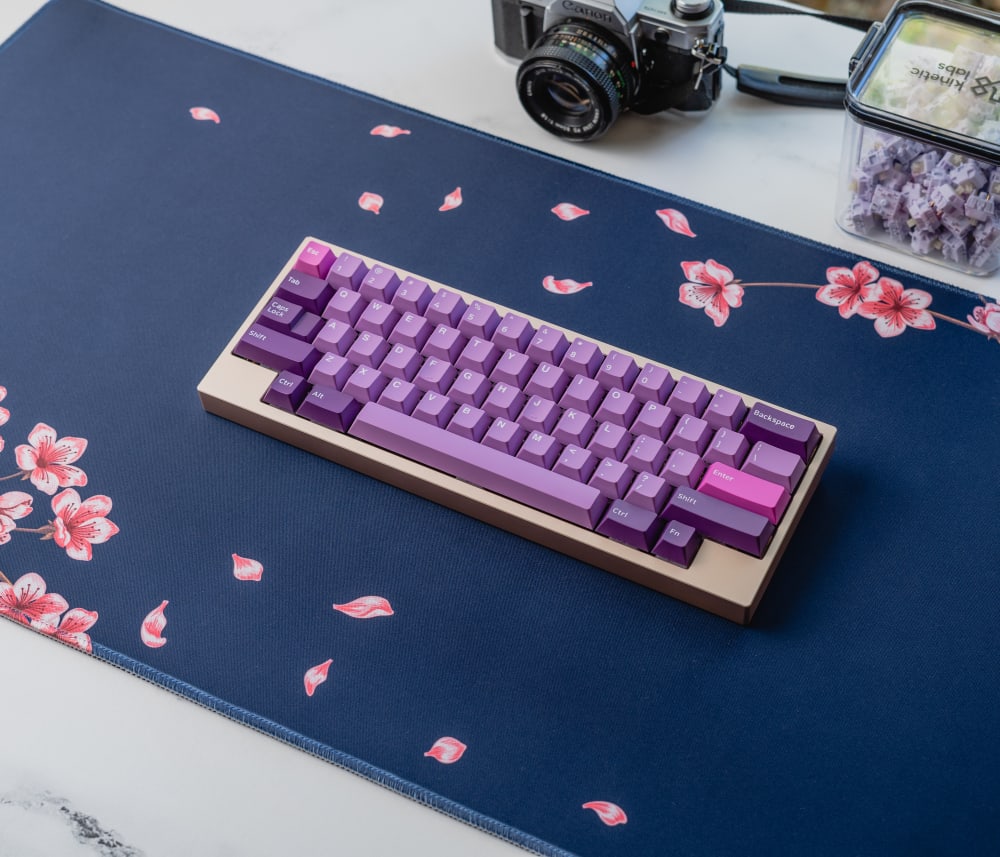
Navy Blossom Desk Mat
Yosemite Desk Mat
The Yosemite Desk Mat leans into landscape artwork for the enthusiast who treats the desk mat as the centerpiece rather than the backdrop. It suits a build where the keycaps are neutral and the mat carries the personality.

Yosemite Desk Mat
Pixel Comet Desk Mat
The Pixel Comet mat has a busier graphic with plenty of visual weight, which works for setups that want the desk to say something. It pairs well with darker builds and playful keycap colorways.
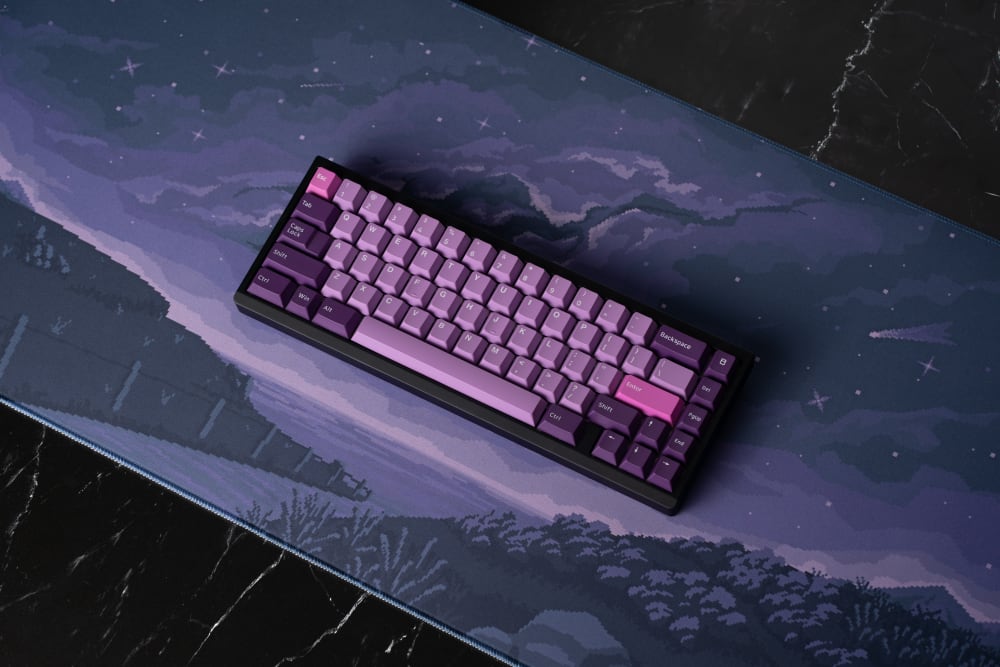
Pixel Comet Desk Mat
Apex Desk Mat
The Apex Desk Mat uses a waterproof cloth top and pairs cleanly with minimal or dark-mode builds. It is a good pick if you want spill resistance built into the surface.

Apex Desk Mat
Coffee Shop Desk Mat
The Coffee Shop mat runs a warm, illustrated scene that suits cozy, cream-and-brown keycap sets. It carries personality without being loud, which makes it an easy match for softer builds.

Coffee Shop Desk Mat
Desk Mat Care and Maintenance: Keeping Your Mat Flat and Clean
This is the section every other guide skips, and it is the one that quietly decides whether your mat stays nice or not.
Flattening a new mat
New mats ship rolled and arrive with a stubborn curl. Give it 24 to 48 hours to relax on its own, or speed it up with the corner-weight trick I always use: unroll it, lay it flat, and set a heavy book or two on each corner overnight. Never fold a mat to force it flat, because a crease in the rubber can become permanent, and I have ruined a mat learning that.
Cleaning without wrecking the backing
Spot clean with cold water and a little mild soap, worked in by hand, then air dry it flat. That is safe for the cloth, the rubber, and the print all at once. Machine washing is where mats die: the agitation and heat can crack the rubber backing and fade the edge stitching. Never put a rubber-backed mat in a tumble dryer.
Storage that prevents edge curl
Store a mat rolled, cloth side out, not folded. Rolling keeps the rubber intact and stops the edges from creasing. A non-slip desk mat that gets folded and shoved in a drawer will come back warped, and no amount of corner-weighting fully fixes a hard crease once it has set in.
Frequently Asked Questions About Desk Mats
Are desk mats the same as mouse pads?
Not quite. A desk mat is a large desk pad that covers your keyboard, mouse, and wrists on one cloth surface, while a mouse pad is usually a smaller, thinner surface built only for the mouse. A desk mat is essentially an XL or XXL mouse pad with enough thickness to damp your keyboard and cushion your wrists, so all desk mats are surfaces but not all mouse pads are desk mats.
Can I use a desk mat with any type of mouse?
Yes. A quality cloth desk mat works with optical and laser sensors and with both PTFE and rubber mouse feet. The tighter the weave, the more consistent your tracking will be at high DPI, but any modern mouse will read fine on a good cloth surface.
Are desk mats safe for all desk surfaces?
Generally yes. A rubber-backed cloth desk mat protects wood, laminate, and glass from scratches and grips without adhesive, which is a real part of desk protection people overlook. On raw or oiled wood, check occasionally that no moisture is trapped underneath, and lift the mat now and then to let the surface breathe.
What should I do if I have a latex allergy?
Avoid rubber-backed cloth desk mats entirely, since natural rubber backings contain latex. Look instead at a hard-surface mat or a silicone-based pad that does not use natural rubber. Read the material spec before buying so you know what the backing is made of.
What size desk mat do I need for my keyboard?
For a TKL, 75%, 65%, or 60% board, a 900 x 400 mm desk mat gives you the board plus 500 mm or more of mousing room. A full-size 100% board fits too, but if you run low sensitivity and need lots of mouse travel, consider going past 900 mm into XXL territory.