
Liam H.
Jul 6, 2026
•18 minutes
The 6 Best Budget Mechanical Keyboards of 2026
The best budget mechanical keyboards aren't $40 Amazon boards. Six gasket-mount, hot-swap custom kits at $50 to $150, with switch and keycap picks.
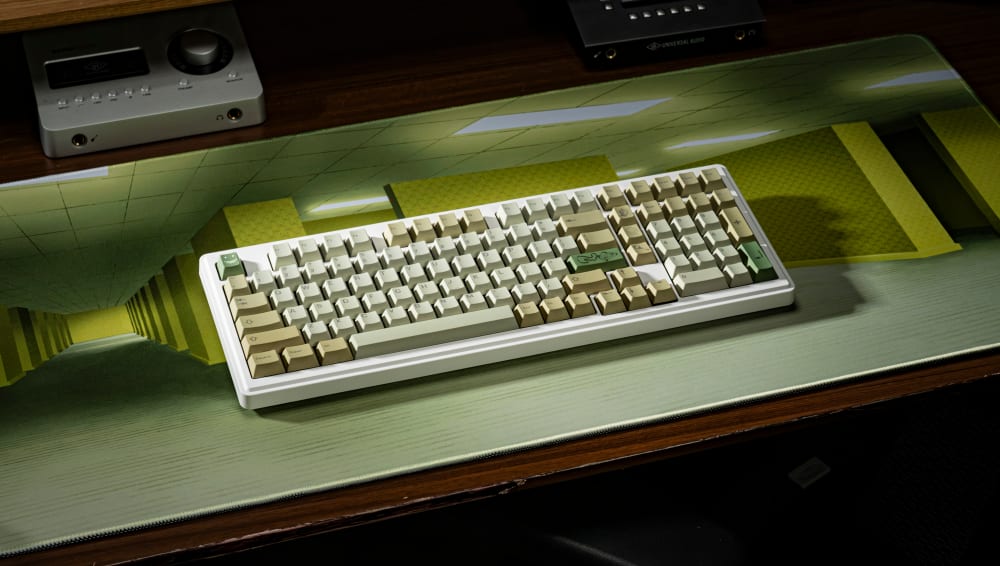
A98 Custom Mechanical Keyboard Backrooms Theme
The best budget mechanical keyboards 2026 has to offer are not the no-name gaming boards on the first page of Amazon. They are budget-priced , the kind of gasket-mounted, hot-swap, QMK/VIA hardware that used to cost $500 and take a year to arrive. Six of them now sit in stock for $60 to $250, and every one of them lets you pick your own switches and keycaps.
I want you to hold onto that last part, because it is the thread I keep pulling on all the way through this. You are not buying a finished thing. You are buying the frame, and then you get to decide what goes in it. That is a very different transaction from the one most people think they are making when they type "best budget mechanical keyboards" into a search bar, and once you see it that way, the whole category rearranges itself in front of you.
What a Budget Custom Keyboard Actually Means
For most of the last decade, if you wanted a "custom" keyboard, you followed a painful pipeline. Somebody posted an interest check thread on Geekhack or r/mechanicalkeyboards, a few thousand people said they wanted it, a group buy opened months later, you paid $400 to $700 up front, and then you waited. Twelve months was normal. Eighteen was not unusual. You were buying a promise, not a product. I still have a board somewhere in a drawer that took so long to arrive I had forgotten which switches I ordered for it.
What you got at the end of that wait was a keyboard defined by a handful of properties, and it is worth slowing down on them because they are the whole reason the category exists. A gasket or isolation mounting system instead of the case screwing straight into the plate. A hot-swap PCB with MX-style sockets so you could drop switches in without a soldering iron. QMK firmware with VIA support so you could remap every key in a browser. A CNC-machined case, usually aluminum, sometimes polycarbonate. Screw-in stabilizers instead of the snap-in kind that rattle. South-facing RGB so your keycap legends actually light up.
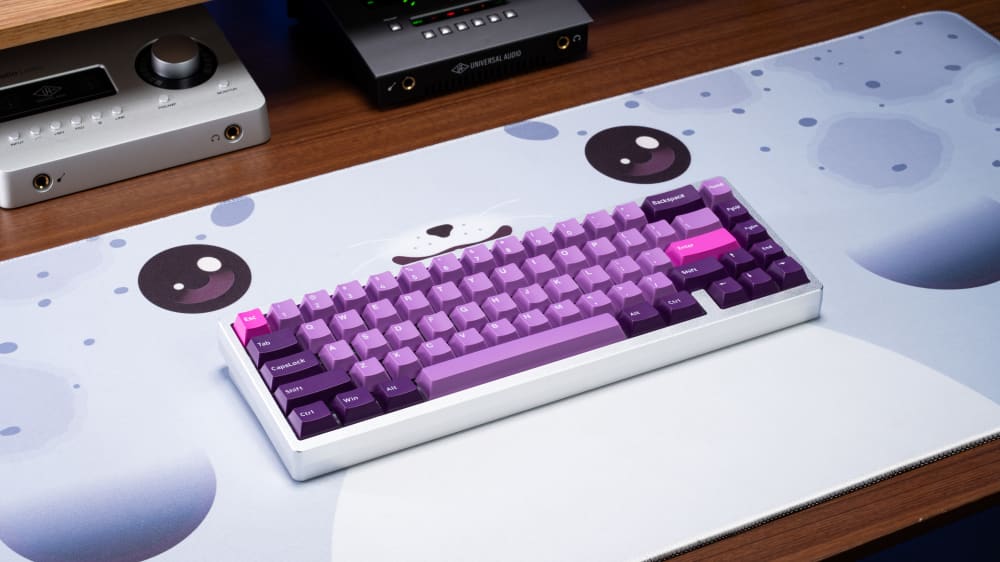
Custom Lucky65 Keyboard
None of those things describe a Razer or a base-model gaming board, and that distinction is worth correcting. A keyboard is not "custom" because it has RGB or a fancy name. It is custom because you choose the switches and keycaps that go into it, and the board is built to let you do exactly that. There are really only two flavors: custom hot-swap keyboards, where switches push into sockets, and soldered keyboards, where you commit each switch to the PCB with an iron. Every board on this list is the first kind, which is why a beginner can build one in an afternoon.
So the wrong question is "how does this compare to a $40 Amazon board." The right question is "how does this compare to the $500 group-buy board with the same mounting system and the same PCB features." That is the actual peer group here, and once you accept it, everything about these six boards reads differently. They land in it at roughly a tenth of the price. If you want to browse the broader category first, our full lineup of mechanical keyboards shows how deep the well goes.
Where the Budget Custom Sits Among Notable Brands
It helps to place these boards on the map of names you already know, because the market is not one flat shelf. At the bottom you have the mass-market gaming brands: Corsair, Logitech, and Razer, whose boards are usually soldered, locked to their own software, and built around RGB rather than feel. They do some things well (Logitech's wireless is genuinely good, Corsair's build quality is solid), but you cannot swap a switch or reprogram them the way a custom lets you.
A step up sits the value-enthusiast tier. Royal Kludge and Qisan (Magicforce) helped popularize the cheap hot-swap board, and they are a fine on-ramp, though their cases lean plastic and their stabilizers usually need work out of the box. Then there is Keychron, which has become the default recommendation for good reason. Its Q-series boards bring aluminum cases, gasket mounts, and QMK/VIA at a real price.
The six boards here slot into a gap those names leave open. They match Keychron's mounting and firmware pedigree but land under its price, and they cover layouts (a true full-size, a compact ergo) that Royal Kludge, Qisan, Corsair, and Logitech mostly ignore. That is the frame worth holding: not "cheaper than a gaming board," but "the same custom recipe the enthusiast brands charge more for."

Nut65 Custom Mechanical Keyboard
Why Bother With a Mechanical Keyboard at All
Before the specs, it is worth saying out loud why anyone falls down this hole in the first place, because the search results rarely bother. Part of it is quality. A gasket-mounted board with lubed screw-in stabilizers and a decent plate simply outlasts and out-feels the membrane slab that came free with your desktop, and it keeps feeling that way for years rather than months. Part of it is enjoyment, which is harder to defend on a spreadsheet but obvious the first time a board sounds exactly the way you tuned it to. You spend eight hours a day with your fingers on this thing. The difference between resenting that and looking forward to it is not small.
Then there is ergonomics, which is the part I underrated for years. Being able to choose a lighter switch, remap the keys your wrists actually reach for, and pick a layout that keeps your hands closer to center genuinely changes how your hands feel at the end of a long day. A pre-built decides all of that for you. A custom hands it back.
And there is the community, which is the reason the group-buy era existed at all. There are people who will spend a Saturday afternoon helping a stranger tune a stabilizer, and forums full of sound tests recorded on the exact board you are eyeing. I have been fooled at meetups before by a $60 build that a stranger had tuned better than my $400 one, and that is the whole appeal in a sentence: the ceiling is not set by the price tag, it is set by how much you want to learn. Budget customs are the cheapest ticket into all of that.
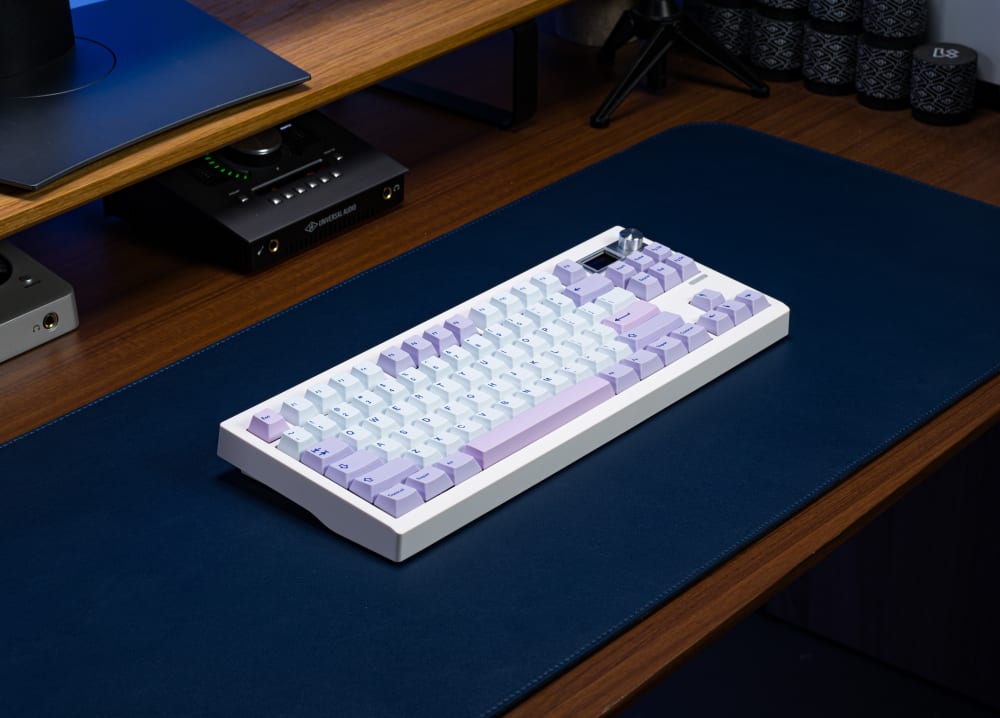
GMK87 Custom Mechanical Keyboard
The Key Specs That Actually Matter
If you have never bought into this category before, the spec sheet can read like alphabet soup, so let me tell you which lines I read first and which I skip. The mounting system comes first, always. A gasket or isolation mount is the single feature that most changes how a board feels and sounds against your fingers, and it is the line that separates a real custom from a pre-built dressed up as one.
After that I read the PCB. Is it hot-swap, and does it run QMK with VIA support? Those two together decide whether you can change your switches and your key layout later without a soldering iron or a firmware compiler. Then I check the RGB orientation, because south-facing versus north-facing is not cosmetic, and I will come back to why in a moment. Case material, plate material, and included stabilizers round out the list. A board that ships with screw-in stabs has already saved you a small parcel of misery.
The one spec I do not treat as a downside is the empty socket. These are kits. The absence of pre-installed switches and keycaps is the feature, not the compromise.
How I Evaluated These Boards
My testing method is narrow on purpose. I looked at the things that separate a custom keyboard from a pre-built, and nothing else. Mounting system first, because gasket mounts change how a board feels and sounds. Then PCB quality: hot-swap sockets, QMK or VIA support, and RGB orientation. Case and plate material next, because those decide the acoustic ceiling, then whether stabilizers are included and whether they are screw-in. Finally, switch and keycap compatibility, and the actual street price you pay today.
For each board I built it out with a familiar switch and keycap set so I was comparing the chassis rather than a random switch batch, typed on it across a normal working week, and listened for the things that go wrong on cheap boards: stabilizer rattle, case ping, hollow spacebars, and uneven bottom-out from key to key. Every board here takes MX-style switches, which means you are free to pair them with anything from a 35gf linear speed switch up to a 67gf heavy tactile. That is your call, not the manufacturer's, and it is the variable I deliberately held constant so the boards could speak for themselves.
What I did not weigh: RGB for the sake of a light show, or how famous the brand on the box is. I have typed on loud-named boards with snap-in stabs that rattled straight out of the box, and quiet-named ones with screw-in stabs that did not.
GMK67, Best Budget 65% for Wireless Enthusiasts
The GMK67 65% mechanical keyboard is the easiest way onto this list, and it is the one I hand to people who have never built anything before. What makes it stand out at this price is wireless. A gasket-mounted 65% with a 3000mAh battery is the kind of spec sheet you normally read on a board costing three to four times as much.

GMK67 Mechanical Keyboard
The GMK67 runs a 65% layout, 67 keys. You keep dedicated arrow keys and a right-hand column with Delete, which is the main thing people miss when they go down to a 60%. What you give up versus a TKL is the function row, so the F-keys live on a layer you reach with the Fn key. For most typing, browsing, and gaming, that trade is worth the desk space you get back.
Underneath, it is gasket-mounted, which gives you a softer bottom-out and a little flex compared to a tray-mount board. The PCB is hot-swap with MX sockets, so no soldering. RGB is south-facing plus side lights, and that south-facing orientation is not a throwaway detail. North-facing LEDs collide with the underside of some keycap profiles, Cherry profile especially, and north-facing LEDs interfere with Cherry-profile keycaps because the LED sits where the keycap's underside wants to go. South-facing sidesteps that entirely, so your legends light the way the keycap designer intended. The 3000mAh battery keeps it wireless when you want it and wired when you don't. It comes in around a pound (roughly 453g), sits at a comfortable typing angle, and takes any MX-stem switch and any MX-stem keycap set.
This is the board for first-time builders who want to go wireless without stepping outside the custom keyboard experience. You still choose your switches, you still choose your keycaps, you just don't have a cable pinning you to the desk. It runs $64.99, in stock. A comparable wireless gasket-mount 65% in the group-buy world regularly ran $200 or more, and you waited months for it. Switches and keycaps are sold separately, because the whole point is that you pick them.
GMK87, Best Budget TKL for the Classic Typist
Tenkeyless is still the most popular layout on the planet, and TKL group buys have never been cheap. A custom-grade tenkeyless routinely ran $350 to $600 and up once you factored in the wait. The GMK87 delivers the same mounting and PCB pedigree for a small fraction of that.
The GMK87 is a full 87-key TKL. You keep the function row, the navigation cluster, and the arrow keys, and you lose only the numpad. For a lot of people that is the sweet spot: nearly everything a full-size does, minus the block of number keys most typists rarely touch, plus enough desk room to keep your mouse close.
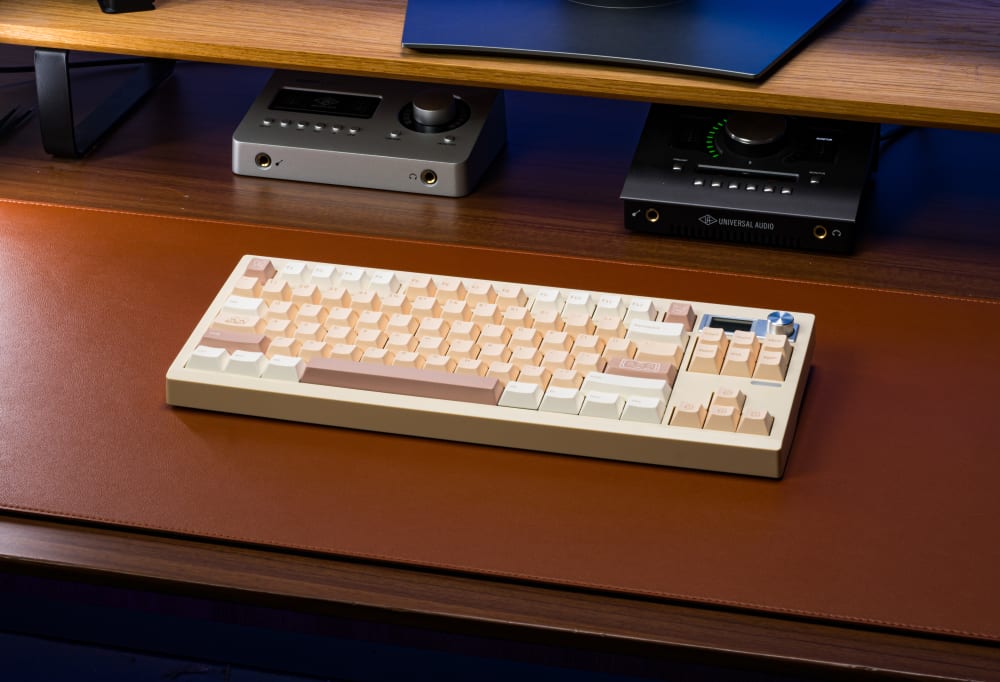
GMK87 Custom Mechanical Keyboard on Desk
It carries the same gasket-mounted construction that defines the rest of this list, with a hot-swap MX PCB so you drop switches in without a soldering iron. That gasket mount is what gives the board its softer bottom-out and gentle flex, which reads as a fuller, less pingy sound signature than a hard tray-mount board. RGB is present and configurable, and the kit takes any MX-stem keycap set you throw at it.
Here is where the GMK87 earns its own note. Because a TKL puts a full alpha block, a nav cluster, and a function row under your hands at once, the thing I chase on this board is even effort across a wide reach, not a dramatic feel. A light linear around 45gf keeps the far corners from feeling like a stretch after an hour, and it is the one board on this list where I would tell a tactile lover to try a linear anyway, just to feel how uniform a big surface can be. If you want a bump, keep it modest, around 55gf, so your pinky reach to the function row does not turn into a workout.
Against a group-buy TKL that ships next year at three to five times the money, an in-stock GMK87 with the same mounting and hot-swap internals is not a compromise. You get the same recipe now, at $50 to $150, instead of waiting on a wire transfer to clear a queue.
GMK104, Best Budget Full-Size for Power Users
Full-size layouts are the blind spot of the enthusiast community, and that is exactly what makes this one interesting. Group-buy designers chase 65s, 75s, and TKLs, and a custom-grade 104-key board is close to a unicorn. The GMK104 occupies a niche almost nobody else builds for.
The GMK104 gives you all 104 keys: full numpad, full function row, and the complete navigation cluster. If you live in Excel, do data entry, or play MMOs that lean on the number pad and a wall of binds, you know why this matters. No layer gymnastics to type a phone number, no reaching for a separate numpad. Everything is where your muscle memory already expects it.
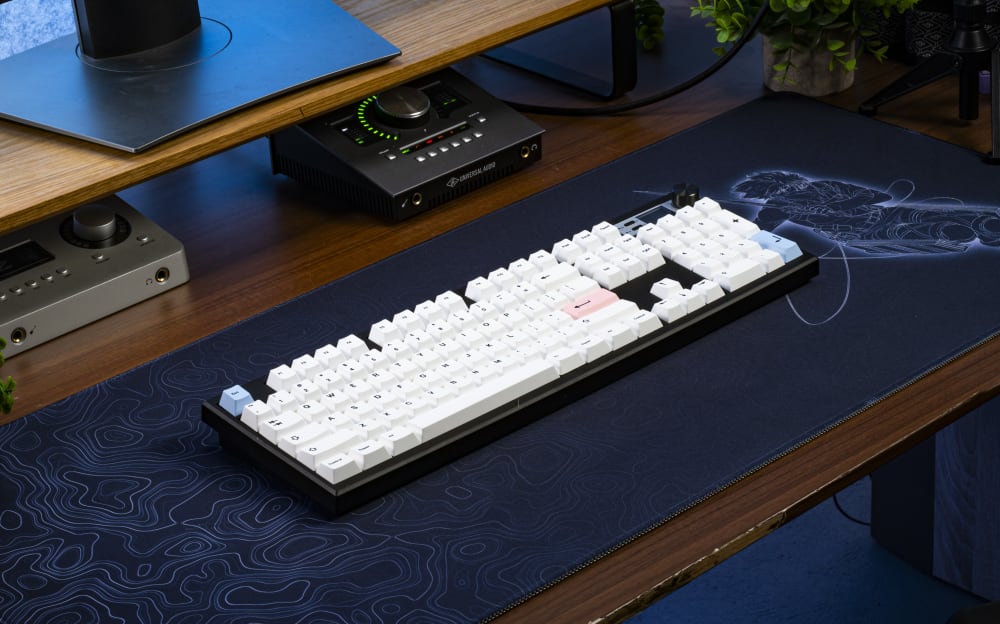
GMK104 Custom Mechanical Keyboard
It shares the same custom DNA as the rest of the family: a gasket-mounted design, a hot-swap MX PCB so there is no soldering, and RGB you can configure. On a board with this many keys, the hot-swap sockets are more than a convenience. They turn a 104-key commitment into something reversible. If you pick a switch and decide three weeks later it is too heavy, you pull and replace across the whole board in an evening rather than desoldering more than a hundred joints.
Try to find a gasket-mounted, hot-swap 104-key board from a group buy. You mostly can't, because the enthusiast market treats full-size as unfashionable. That makes the GMK104 quietly one of the most useful boards here for anyone whose workflow actually needs every key. It is a custom keyboard for the people the custom scene forgot.
On a board this large, the note that matters is variance. Pick a single switch and stick with it across every socket, and lean linear, because a linear has no tactile bump to feel differently from key to key when your finger lands slightly off-center. A 45gf to 50gf linear across all 104 keys types the same from the spacebar to the far corner of the numpad, which is harder to achieve than it sounds once you are covering that much real estate.
Nut65, Best Budget 65% for Sound Signature Obsessives
Two 65% boards on one list needs a reason, and the reason is not layout, it is character. The GMK67 is the wireless everyman. The Nut65 is for the builder who already tuned a board once and wants more say in how the finished thing sounds.
Same 67-key, 65% footprint as the GMK67: arrows, a right column, no function row. If you already decided 65% is your size, the choice between these two comes down to build feel and sound, not key count.
The Nut65 is aimed at people who care about the acoustic result, so the foam and gasket details do the heavy lifting here. Plate choice changes everything downstream. A polycarbonate plate flexes more and softens the sound. An aluminum plate stiffens the board and {link=https://geekhack.org/index.php?topic=95845.0}, pushing the higher, clackier tones forward. The kit ships with screw-in stabilizers, which matters more than it sounds, because screw-in stabs cut the rattle that snap-in stabilizers are notorious for.

Nut65 Custom mechanical keyboard on desk
There is no single dial for keyboard sound. As our own guide to why keyboard sound is nearly impossible to get right lays out, mounting system, plate, case, keycaps, and even your desk all stack together. A gasket mount over a softer plate in a fuller case leans "thock," deeper and rounder. Stiffen the plate or open up the case volume and you drift toward "clack," sharper and higher. The Nut65 is the one board here where I would tell you to buy it for the tuning rather than in spite of it, because it responds to those variables instead of flattening them.
This is the second-board pick: someone who has already lubed switches, tuned stabilizers, and wants a canvas that responds to those efforts instead of fighting them.
Built A98, Best Budget 96% for the Compact Full-Size User
The Built A98 100% mechanical keyboard addresses something almost no budget board touches: a full workflow that does not sprawl across the whole desk. High-density customs are group-buy territory, and the good ones start around $300 and climb from there.
The A98 is a 98-key layout, the compact-full-size format that crams a numpad and function row into a footprint tighter than a standard 104. You keep the number pad column and nearly every key of a full-size, but the keys sit closer together so the whole board takes less desk. For anyone who needs a numpad but hates how wide a true full-size sprawls, this is the format to reach for.

A98 Backrooms Themed Mechanical Keyboard
It carries the same hot-swap MX PCB and gasket construction that runs through this list, with RGB and no soldering required to get typing. The detail I keep coming back to on the A98 is that it ships with PBT keycaps, and that choice speaks directly to longevity. This is a board people actually move around: to the couch, to the office, back again. PBT keycaps resist shine better than ABS and hold their texture through years of finger oil, so the board still looks new long after an ABS set would have gone glossy. On a keyboard built to travel, that durability is not a footnote.
A tighter, more compact layout keeps your hands closer to center, which reduces how far your wrists splay outward (ulnar deviation) versus a wide standard-stagger full-size. Pair that with lighter switches, somewhere in the 35gf to 45gf range, and you cut fatigue further, because a lighter spring means less work per keystroke over a long day.
Premium high-density customs from the group-buy world routinely clear several times the price of a budget board and ship on a lead time measured in seasons. A budget A98 with custom-grade internals, in stock, is a genuinely rare thing at this price.
Built Max102, Best Budget Full-Feature Board for the Everything User
The Built Max102 100% mechanical keyboard is the board I reach for when someone tells me they refuse to trim a single key from their workflow but still want the custom experience. Where the GMK104 nails the classic 104 layout, the Max102 leans into premium internals on a big board without asking you to compromise on either count.
The Max102 runs a 102-key variant. That count usually means a couple of keys have been reworked for layout optimization or macro positioning rather than dropped outright, so you still get the numpad, the function row, and the full navigation block. In practice you lose nothing you actually type with.

Max102 Custom Mechanical Keyboard Code Themed
It brings the same hot-swap MX PCB, gasket-oriented construction, and configurable RGB as the rest of the family, so a beginner can build it without an iron. On a board this size, hot-swap is a real gift, because refreshing your switch preference across every key is a socket-pull away instead of a solder-desolder marathon. This is the board for the person who wants the full keyboard and the custom experience, with every key present and custom-grade internals underneath.
The distinct note for the Max102 is preparation, not selection. At 102 keys, an unlubed batch will show its inconsistencies from key to key far more than it ever would on a 60%, simply because you are asking your ear and your fingers to accept 102 near-identical events. Twenty minutes of Krytox 205g0 on the housings before you install buys you a board that feels the same everywhere your fingers land, and on a board this large that consistency is the difference between "nice" and "why does one row feel scratchy."
Head-to-Head: Which Budget Custom Keyboard Should You Buy?
| Board | Layout | Mounting | Hot-Swap | Wireless | Total Price |
|---|---|---|---|---|---|
| GMK67 | 65% (67 keys) | Gasket | Yes | Yes | $100 to $200 |
| GMK87 | TKL (87 keys) | Gasket | Yes | No | $100 to $200 |
| GMK104 | Full-size (104) | Gasket | Yes | No | $100 to $200 |
| Nut65 | 65% (67 keys) | Gasket | Yes | No | $100 to $200 |
| Built A98 | 96% (98 keys) | Gasket | Yes | No | $170 |
| Built Max102 | 102 keys | Gasket | Yes | No | $240 |
The way I actually help people choose is to start from the one thing they cannot live without and let the rest fall out from there. If a cable on your desk drives you up the wall, the GMK67 is the only wireless board here, so that decides it. If you have typed on a tenkeyless for years and your hands already know the function row, the GMK87 is the natural home. If your day is numbers, the GMK104 gives you the classic 104 while the Max102 makes the argument for premium internals under every one of those keys. And if what keeps you up at night is how a board sounds, the Nut65 is built to reward the tuning you already know how to do. The A98 sits slightly apart from all of that: it is the one you pick when a full workflow that stays compact matters more than any single spec.
For switches, pick to match the gasket-mount sound and feel. A smooth 45gf to 50gf linear (something like our Kinetic Labs house linears) keeps things quiet and even. A 55gf to 62gf tactile gives you a bump to land on. If you genuinely miss the sound of an old buckling board, a clicky switch works too, just know a gasket mount will round its edges. All of them drop straight into these hot-swap sockets.
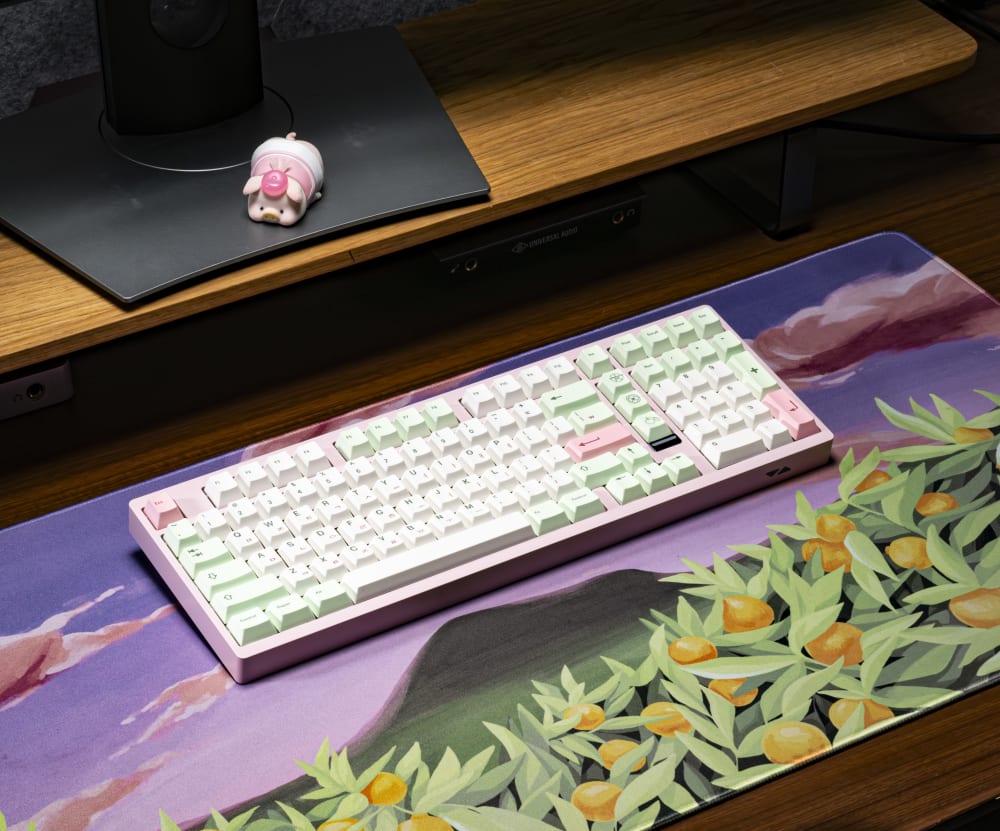
Built Max102 Jeju Edition on Desk
Price Points and Budgeting a Build
It helps to think in three brackets. Below $50, you are in mass-market territory: Royal Kludge, Qisan, and the entry Corsair and Logitech boards, most of them plastic-cased and either soldered or hot-swap with stabilizers you will want to redo. From $50 to $150 is where these six sit, and it is the sweet spot, because it buys a genuine custom chassis with room left in the budget for the parts that matter.
Budget the whole build, not just the kit. A realistic first build looks like this: kit at $70 to $150, a set of switches at $30 to $60, a PBT keycap set at $50 to $90, and about $10 in lube and stabilizer supplies. That puts a finished, tuned board somewhere between $140 and $250 all in. Spend $65 on the GMK67, $30 on switches, $80 on a PBT set, and you have a wireless custom for around $175 that would have been a $300 build with a nine-month wait not long ago. Against a locked pre-built at the same total, you also keep the right to change your mind later for the price of a switch order. That optionality is the part of the value that does not show up on the spec sheet.
Shopping Tips: Finding Deals and Saving Money
A few habits save real money in this category. First, buy the kit and the parts in the same order where you can, because combined shipping on switches and keycaps often costs more than the discount you were chasing by splitting orders. Second, watch the calendar. The big keyboard sales cluster around late November (Black Friday and Cyber Monday) and mid-year clearance, and switch vendors in particular discount hard when a new batch is coming.
Third, buy a switch tester or a small pack before you commit to a full set. Spending $5 to feel a switch beats spending $40 on 110 of one you end up hating. Fourth, older-generation switches are quietly the best value on the market: last year's linear is usually smooth, cheap, and thoroughly reviewed. Finally, do not overpay for keycaps early. A solid $35 PBT set will serve a first build better than a $120 group-buy set you are still learning your taste on. You can always upgrade later, and with hot-swap sockets and MX-stem caps, nothing you buy locks you in.
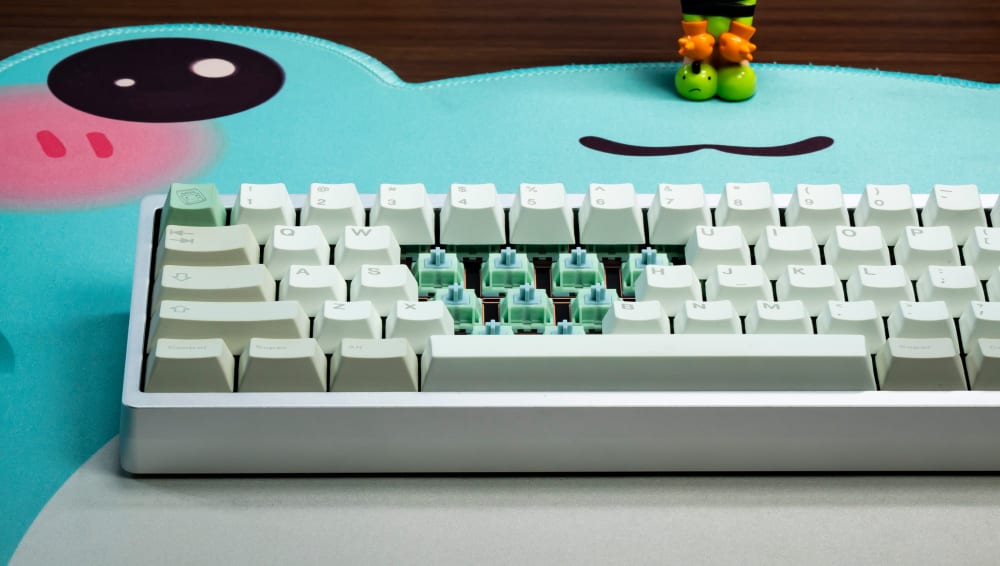
HMX Frog Tactile Switches on Custom Keyboard
Product Comparison: How These Stack Up Against Reviews
If you read across the review landscape (r/mechanicalkeyboards build threads, YouTube sound tests, and the writeups the community trusts), a consistent picture emerges. Boards in this bracket almost always win on mounting and firmware and lose, if they lose anywhere, on stabilizers and stock foam, both of which are cheap to fix.
Against the common comparison points: Keychron's Q-series scores higher on out-of-box polish and case weight, and it should at its price, but the gap closes fast once you tune a budget board yourself. Royal Kludge and Qisan boards land near these on price but trail on mounting (many are tray-mount, not gasket) and on RGB orientation. Corsair and Logitech review well for software and wireless reliability, yet reviewers consistently flag the same ceiling: you cannot swap the switches or reprogram the firmware freely, so the board you buy is the board you keep. The honest read on these six is that they trade a little factory refinement for a lot of freedom, and for anyone willing to spend an evening building, that is a trade the reviews tend to endorse.
What These Cost, and Where the Value Actually Sits
Line the money up against the peer group. A wireless gasket 65% ran $200-plus in the group-buy days. A custom TKL ran $350 to $600. High-density and ergonomic boards cleared $400 and shipped a year out. These six land at $50 to $150 with the same mounting systems and the same PCB features, and they are in stock today.
Where does the value sit? Not in the sticker alone, but in what the sticker buys you. You are paying for a chassis that is worth building on, then spending your remaining budget on the two parts that actually define the board: the switches and the keycaps. That is the whole argument in one line: a frame worth keeping, and the freedom to fill it your way.
RGB, Customization, and Making the Board Yours
RGB gets treated as a gimmick, and on a pre-built it often is. On these boards it is worth a closer look for one practical reason I raised earlier: every one uses south-facing LEDs, so if you run shine-through legends, they actually glow instead of hiding behind the keycap. That single orientation choice quietly widens your keycap options, because you are not forced away from Cherry-profile sets to get your legends to light.
Beyond the lights, the real customization lives in software. QMK firmware with VIA support means you remap keys, build layers, and set macros in a browser without touching code. Move Caps Lock to Control, put media keys on a Fn layer, bind a macro to a key you never use, and the board remembers it. Between the switch choice, the keycap choice, the plate feel on the Nut65, and the layout you program in VIA, no two builds off the same kit have to end up the same board. That flexibility is the whole reason people keep coming back to custom keyboards long after their first build.
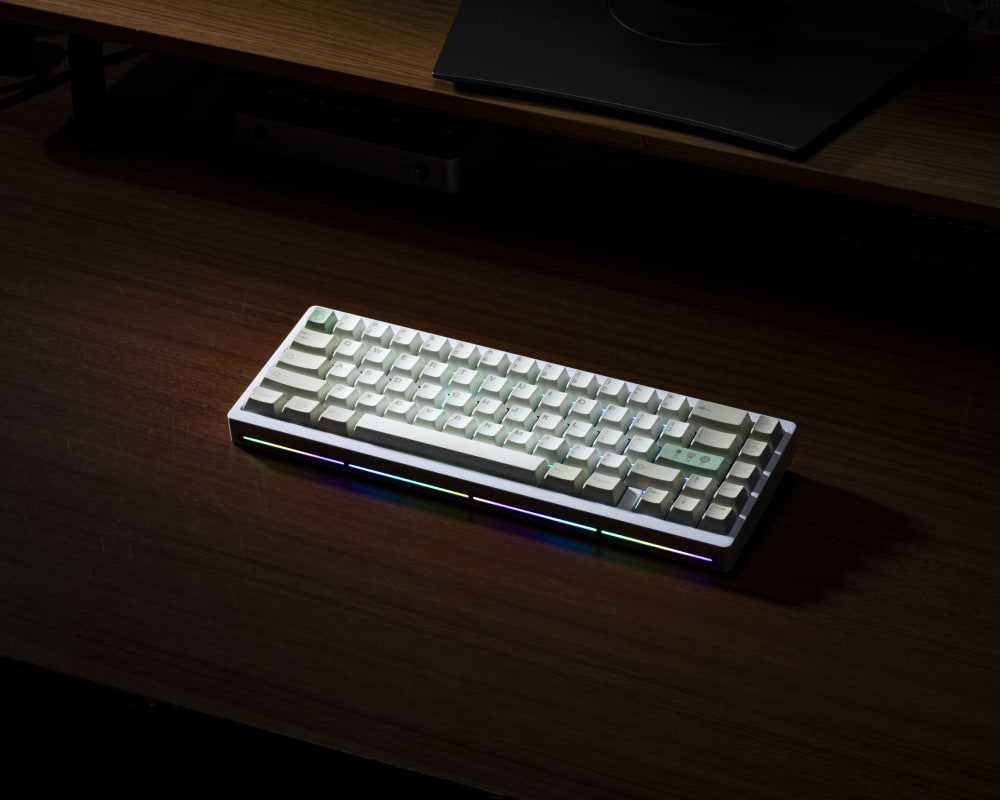
Nut65 Mechanical Keyboard with RGB On
Building Your Budget Custom: What Else You'll Need
You bought a kit, which means the case, plate, PCB, and stabilizers are handled. Two things are up to you.
Switches
Buy MX-compatible switches, which every board here takes. Look at three things: stem material (POM stems run smoother, nylon housings sound fuller), spring weight in grams (35gf to 45gf for light and fast, 55gf and up for a firmer press), and whether they arrive pre-lubed or not. A punchy tactile like the HMX Frog Tactile covers most builders here, and our full Gateron switch selection runs from smooth linears to firmer tactiles. Pre-lubed saves you an evening. Unlubed lets you tune them yourself.
Keycaps
Any MX-stem set fits. Profile changes both feel and sound. Cherry and OEM sit lower and pair naturally with the typing angle on these boards. SA and MT3 are tall and sculpted, and being taller, they let more sound reverberate. For material, PBT resists shine and holds its texture longer than ABS, which is why most enthusiast sets are PBT.

Matcha PBT Keycaps on Custom Keyboard
Lube and stabilizer tuning
Even with screw-in stabilizers, spend 20 minutes tuning them. A thin coat of dielectric grease on the stabilizer wire plus Krytox 205g0 on the housing kills nearly all the rattle, and the whole job costs under $10. It is the single best return on effort in the entire build.
Desk mat pairing
Where you set the board changes what you hear. A hard desk couples with the case and reflects sound back up at you, brighter and louder. A desk mat decouples the board from the surface and softens the whole signature. If your build sounds sharper than you hoped, a mat is the cheapest fix there is.
For everything above, our Kinetic Labs shop carries switches, keycaps, lube, and desk mats to finish the build.
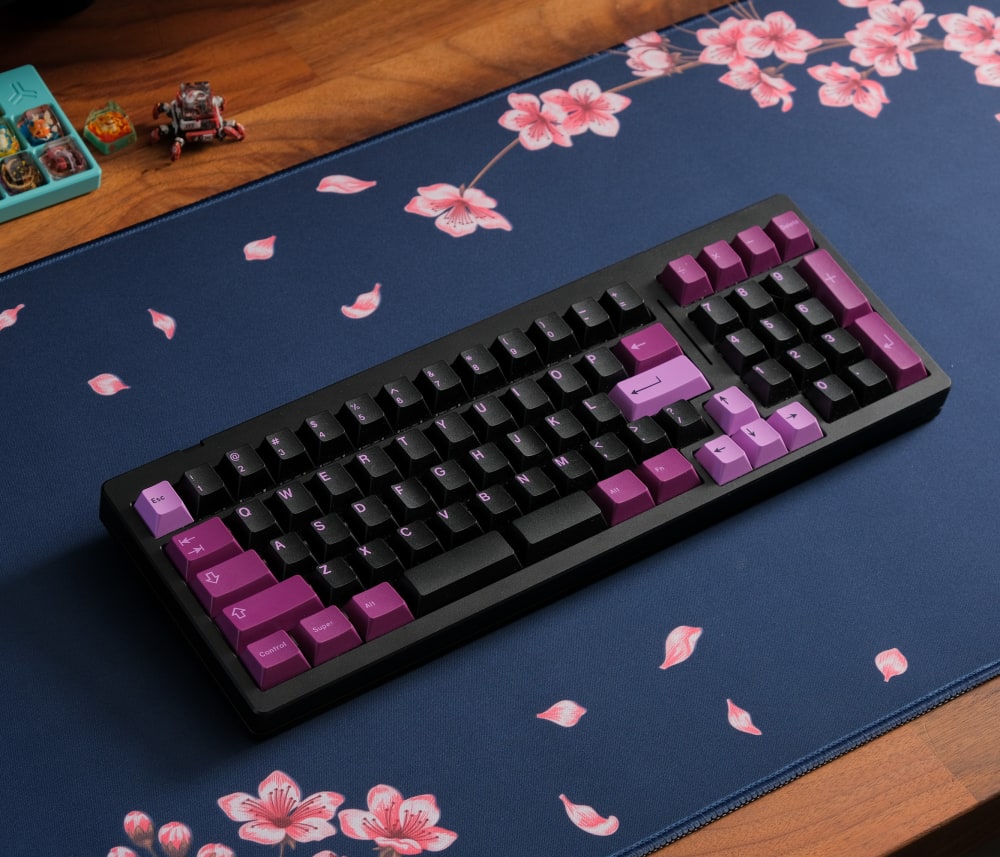
Navy Blossom Desk Mat with Custom Keyboard
Frequently Asked Questions
Are budget custom mechanical keyboards worth it compared to pre-built gaming keyboards?
Yes, if you value how a board feels, sounds, and can be changed later. A budget custom mechanical keyboard gives you a gasket mount, hot-swap sockets, and QMK/VIA remapping, none of which most pre-built gaming boards offer. You pick your own switches and keycaps instead of accepting whatever the factory installed, and hot-swap sockets mean you can change your mind without a soldering iron.
Do custom keyboards come with switches and keycaps?
No, and that is intentional. These are custom keyboard kits, so they include the case, plate, PCB, and stabilizers, but you supply the switches and keycaps yourself. Choosing those two parts is the entire point of a custom board. It is what lets two people build the same kit and end up with keyboards that feel and sound completely different.
What is a gasket-mounted keyboard and why does it matter?
A gasket-mounted keyboard sandwiches the plate between strips of soft material instead of screwing it rigidly to the case. That gives you a softer bottom-out, a little flex under each press, and usually a fuller, less pingy sound than a hard tray-mount board. It is a defining feature of enthusiast customs, and every board on this list uses it.
Can I use any MX-style switch in custom keyboards?
Yes. Every board here has hot-swap sockets that accept any MX-style switch, from 35gf linear speed switches up to 67gf heavy tactiles. You push the switch in by hand, no soldering. That freedom to mix and match switch weight and feel across the same kit is exactly what makes a keyboard custom rather than pre-built.
How do custom keyboards compare to Keychron or other enthusiast-adjacent brands?
Keychron's Q-series boards (the Q5, Q6 Max, and Q10, priced around $175 to $195) offer similar gasket mounts, hot-swap PCBs, and QMK/VIA support, and they are excellent. The difference is price and layout coverage. These budget customs land at $50 to $150 and cover niches Keychron, Royal Kludge, and Qisan mostly skip, like a true full-size or a compact ergo board. If Keychron sits at the top of the budget-custom bracket, these sit comfortably under it.
What is QMK/VIA and do I need it?
QMK is open-source keyboard firmware, and VIA is a browser app that lets you remap keys, build layers, and set macros on QMK boards without writing code. You do not strictly need it to type, but once you remap Caps Lock or set up a Fn layer for media keys, it is hard to go back. It is one of the features that separates a custom keyboard from a locked-down pre-built.